Unboxing
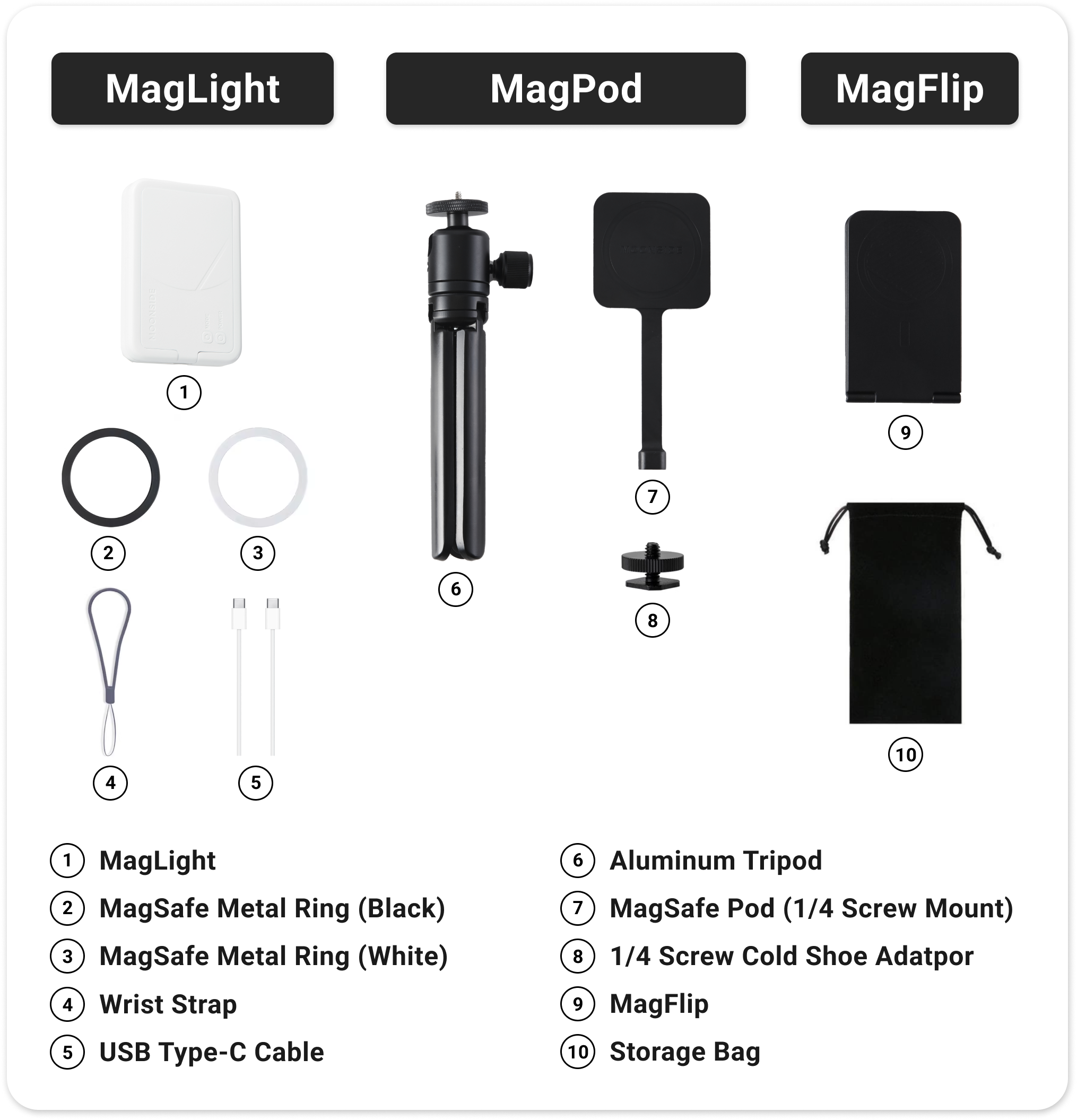
What's included in the box:
- Moonside MagLight
- MagSafe Ring Adaptor
- USB Type-C Cable
- Wrist Strap
- MagPod Kit (Included in Creative Pack)
- MagFlip (Included in Creative Pack)
- Storage Bag (Included in Creative Pack)
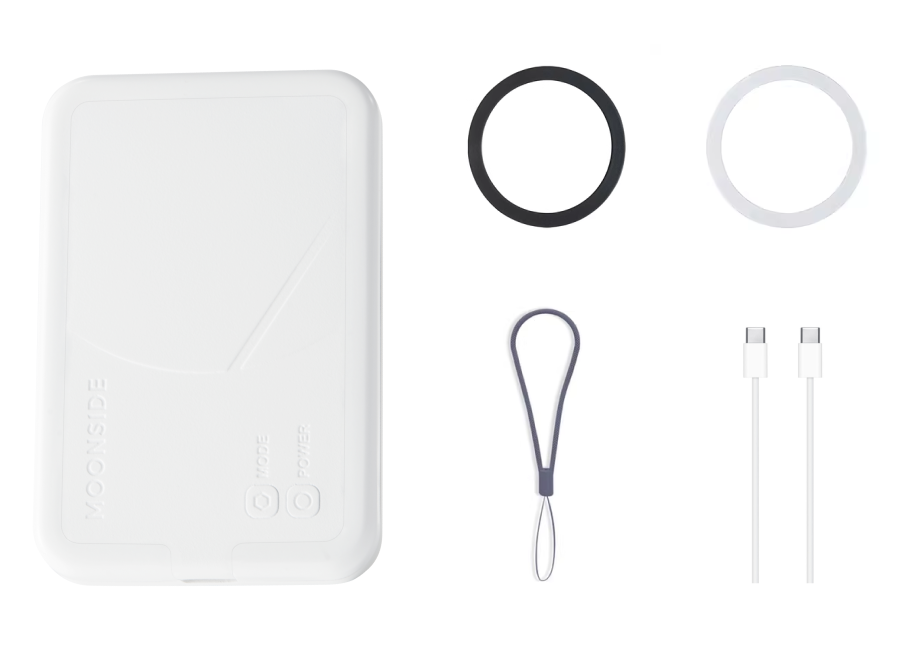 Items Included in One Standard Pack
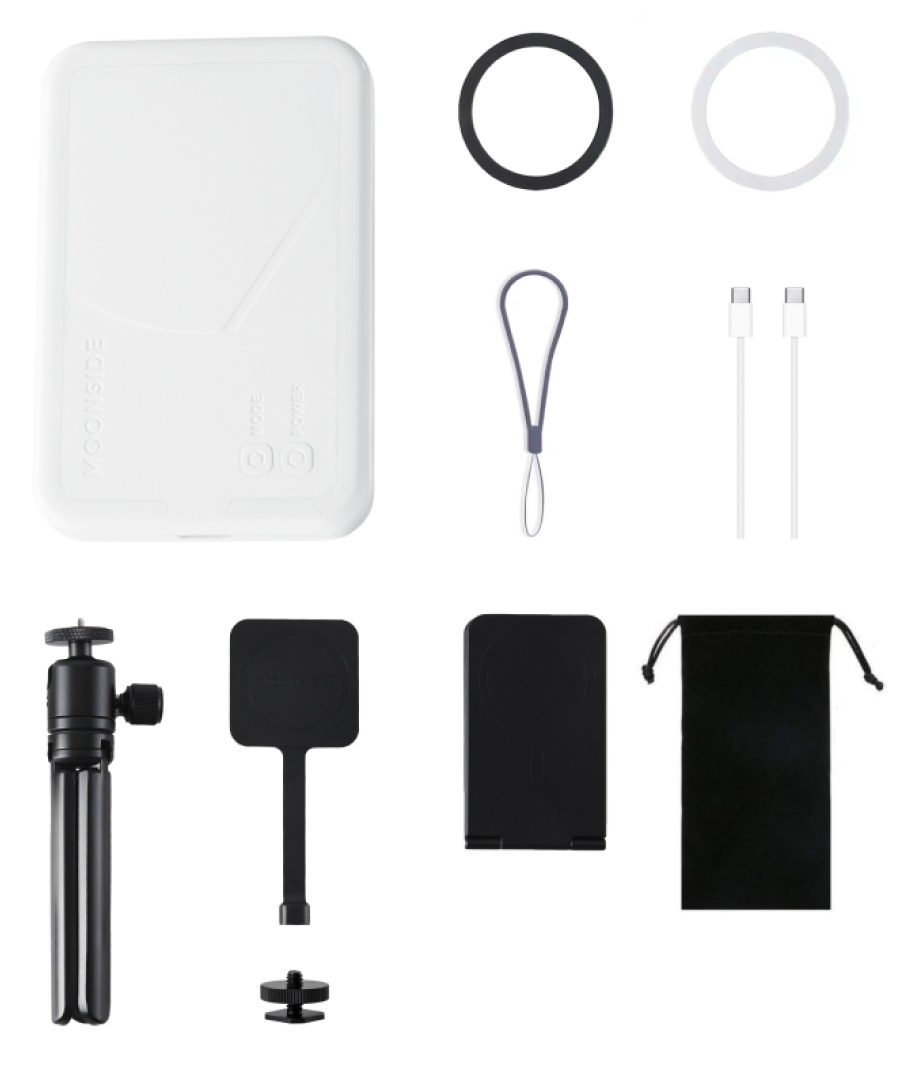 Items Included in One Creative Pack
Power & Mode Button
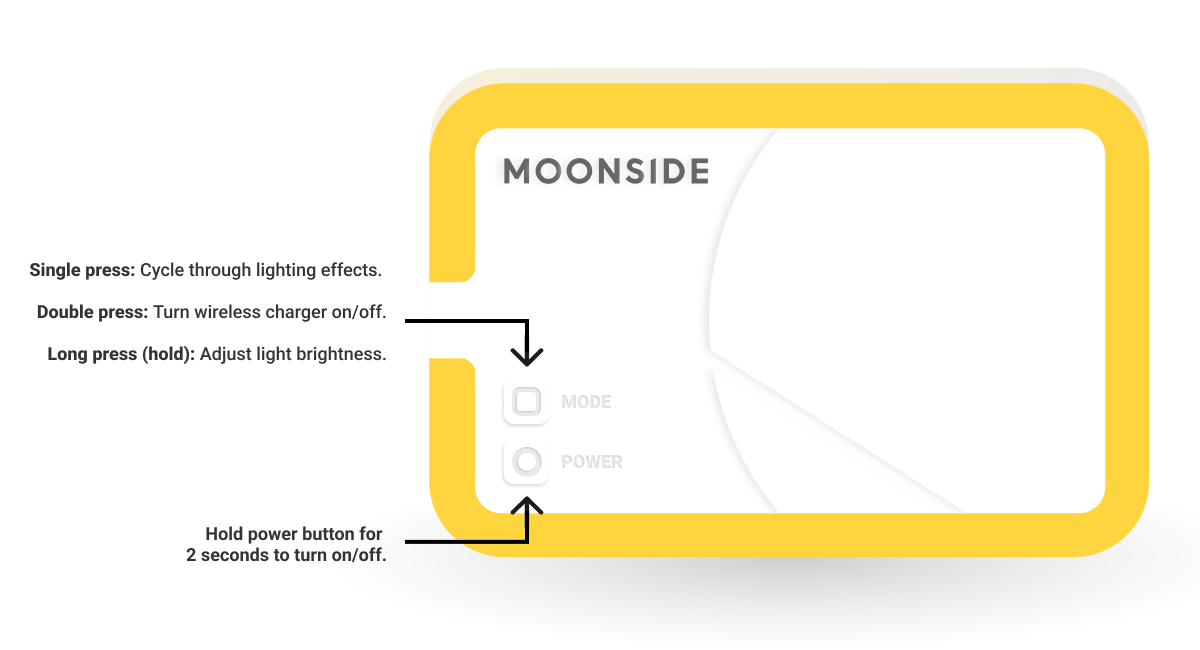
Power Button:
- Press and hold for 2 seconds to turn the device on/off completely. (Tips: Power the device off completely when not using it for extended periods.)
Mode Button:
- Single press: Cycle through lighting effects.
- Double press: Turn wireless charger on/off.
- Long press (hold): Adjust light brightness.
App Control
1. Make sure that your MagLight is turned on.
2. Download the Moonside app from  App Store or
  Google Play.
3. Open the Moonside app and follow the on-screen instructions to pair your MagLight.
View complete app user guide here.
Wireless Charge
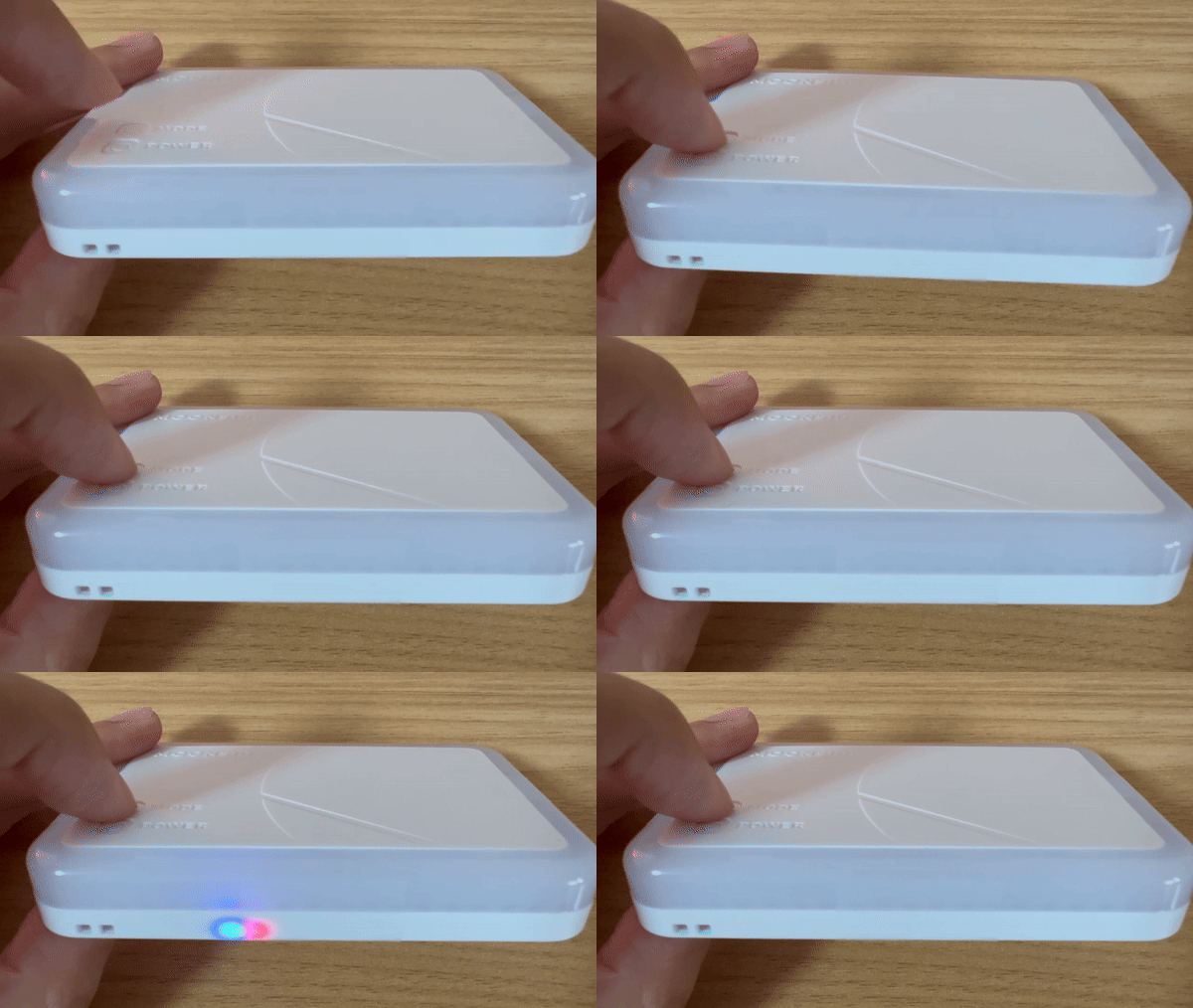
To start wireless charging with your MagLight, turn on the wireless charger. You will see red and blue lights flashing on the side of the MagLight.
Place your phone on the back of the MagLight to start charging. The light will turn blue when the phone is charging. If the wireless charger does not detect any charging device, it will turn off automatically.
Device Reset
First, power off the device. Then, press and hold the power and mode buttons for three seconds until the light flashes green.
If you have any further questions, please feel free to contact our support team.
Get Started